A Browser for the FPV Drone-Strike Dataset
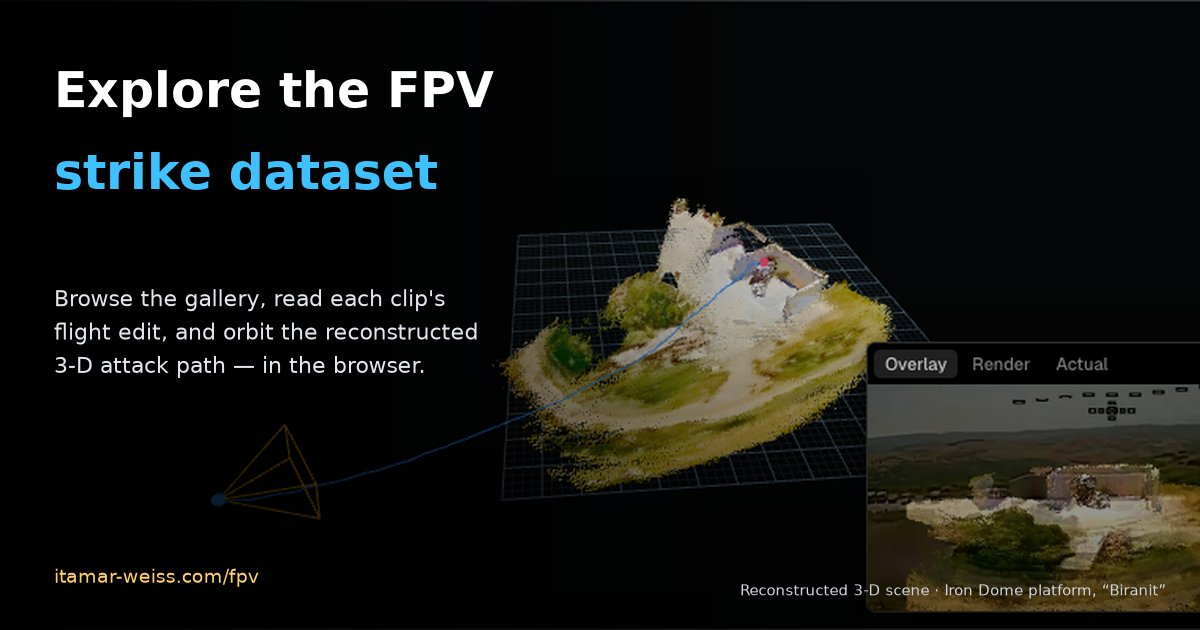
A few weeks ago I opened up a dataset of Hezbollah FPV drone-strike videos — every clip I could pull out of OSINT, labelled and kept in one place so anyone building a defense could start from real footage instead of a press release. It worked as a dataset, but it was miserable as something to actually look at. To answer a simple question — "show me the strikes on air-defense sites near the border" — you were downloading MP4s and scrubbing through them by hand.
So I built the thing that was missing: a viewer that makes the dataset accessible to the community — something you can browse, read, and learn from, right in the browser. It's live at itamar-weiss.com/fpv. This post is what it does and the two ideas behind it that I think are worth stealing for any video-forensics collection.
Three ways to look at the same clip
The viewer is small on purpose — one dataset, three views, each answering a different question.
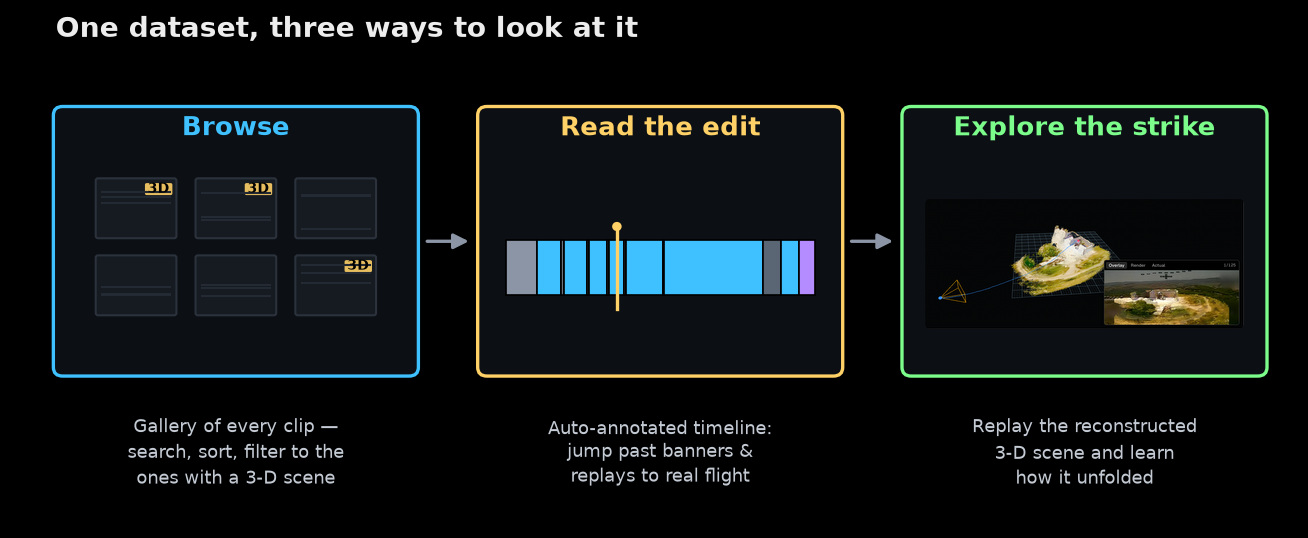
The gallery is the front door: every clip as a card with a first-frame thumbnail, searchable by description, town or date, sortable, and filterable down to just the ones that have a reconstructed 3-D scene. The player adds a flight-annotation timeline underneath the video. And the scene view — for the clips I've reconstructed — lets you orbit the actual 3-D geometry of the strike.
Here's the whole thing in one pass — browsing the gallery, reading a clip's flight-annotated player, and orbiting its reconstructed 3-D scene (the strike on the "Biranit" Iron Dome platform):
It's the same catalog as the repo, just alive — and it grows as new footage surfaces. It's best experienced full-screen at itamar-weiss.com/fpv.
Annotations: extracting the flight segments
Here's the first idea that shaped the tool. These videos are edited. A single clip opens on a title-card banner, cuts between flight segments, freezes on the moment of impact, and ends on a slow-motion replay. If you're a human trying to study tactics, or a model trying to learn from the footage, only part of the runtime is the drone actually flying — and that part is what you're after. The camera is the weapon's eye, but only for part of the clip. The annotations exist to extract exactly those flight segments.
So every video in the viewer gets a flight-annotation timeline: the footage is segmented into flight, banner, pause / freeze and replay, and the player lets you jump straight to the parts that are genuinely the drone flying. Here's one clip, annotated — the 2026-06-06 Merkava-tank strike near Blat:
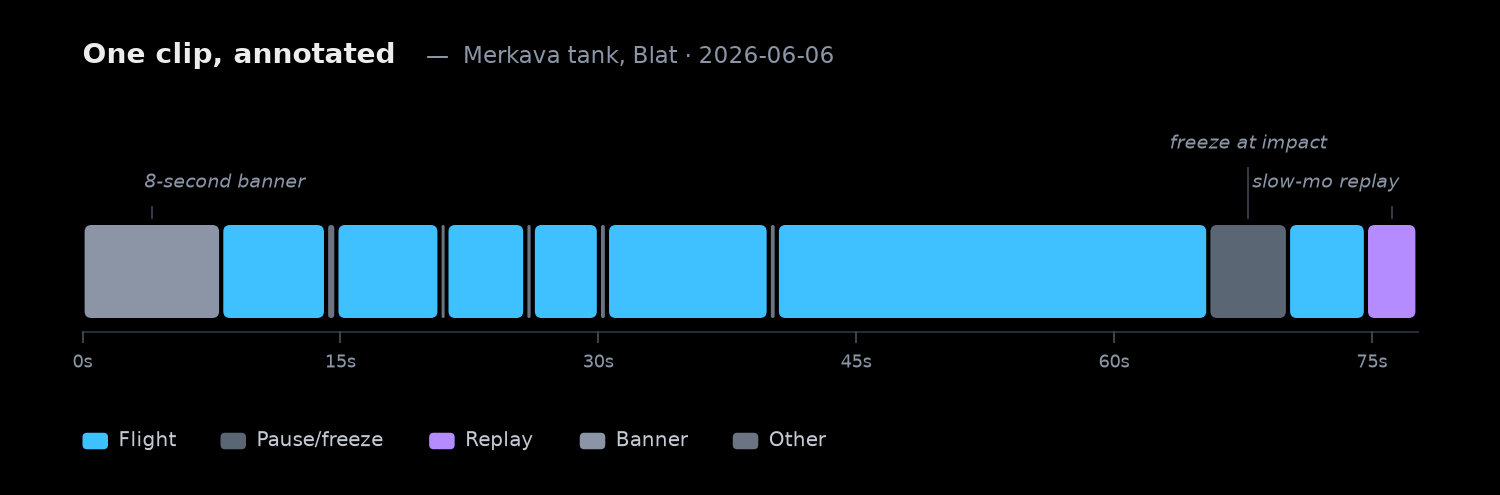
You can read the edit right off the ribbon: an eight-second banner up front, a burst of flight segments broken up by brief freeze-frames as the editor punches in on targets, a longer pause near the moment of impact, and a replay tail at the end. The blue is the only part that's actually a camera moving through the world.
And this isn't a one-off. Once every clip is annotated, you can add it up across the whole dataset — and the split is its own small piece of intelligence:
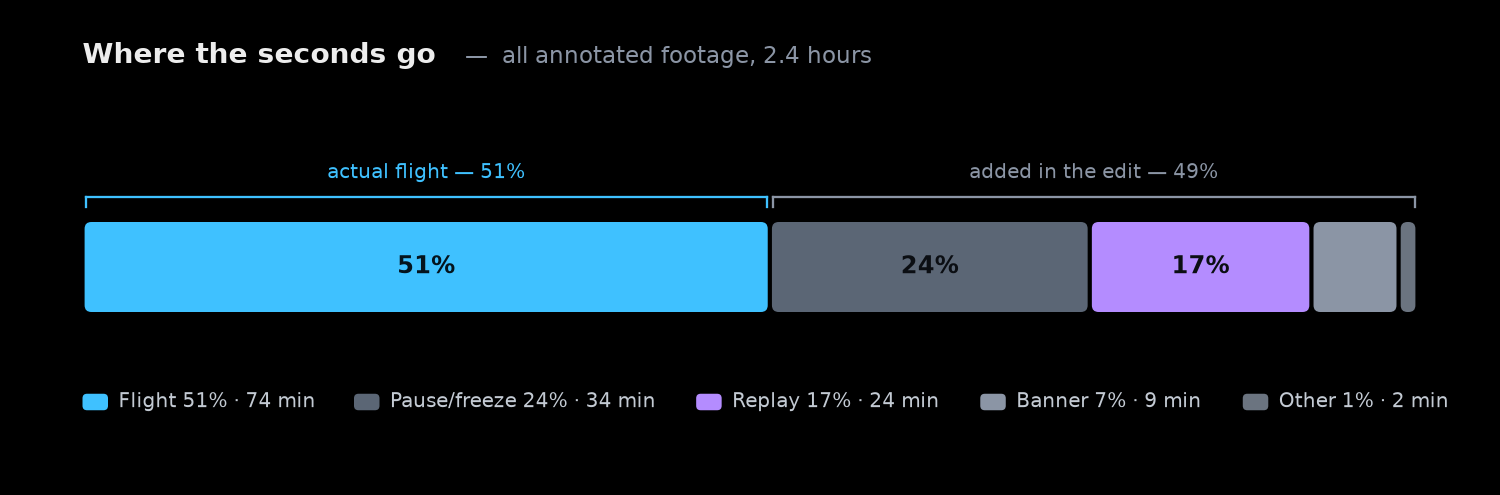
Of the roughly 2.4 hours of annotated footage, only about half is real flight. The other half is banners, freeze-frames and replays. That's the concrete argument for annotating: if you feed a reconstruction pipeline or a training set the raw clips, half your data is title cards and slow-motion — and, worse, the freezes and replays look like camera motion to a naive algorithm and quietly poison the geometry. The timeline is how you keep only the signal.
One honest caveat: some of these annotations were generated automatically and haven't been manually reviewed yet, so expect occasional boundaries that are a little off. I'm reviewing and correcting them gradually — treat them as a strong starting point, not hand-verified ground truth.
Explore the strike in 3-D
The second idea is the payoff from the last post: recovering a drone's real 3-D attack path from the pixels alone, using VGGT over the isolated flight frames — no telemetry needed. Run across the whole dataset, a growing share of clips now have a full 3-D reconstruction: raw clip → extract flight → clean frames → recover camera path and point cloud.
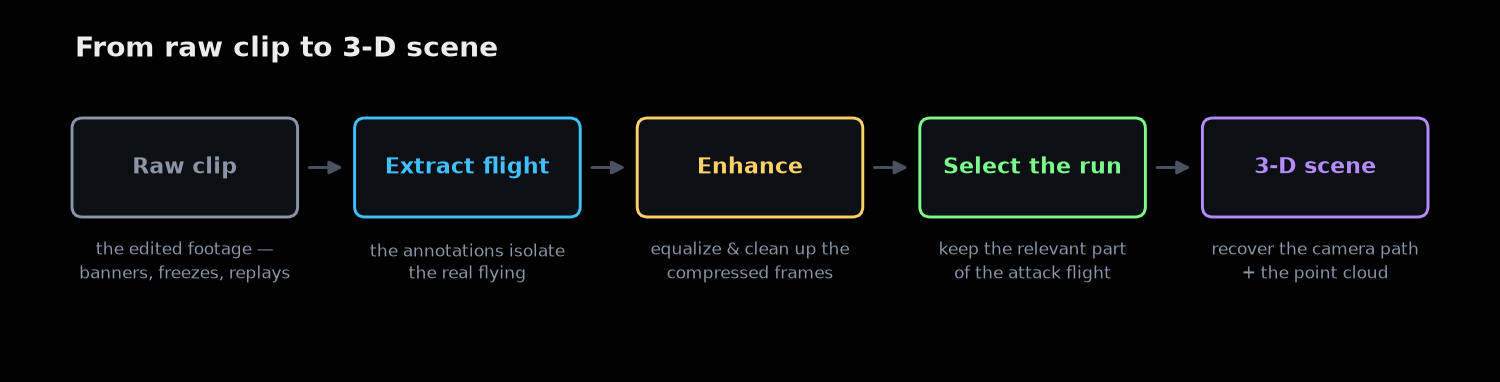
Each scene is the terrain's point cloud plus the drone's recovered flight path, with a corner panel playing the real footage in step. Orbit it with the mouse — filter the gallery to 3D scenes to find one. It's not a pretty render: an attack you could only watch once becomes something you can stand in and learn from.
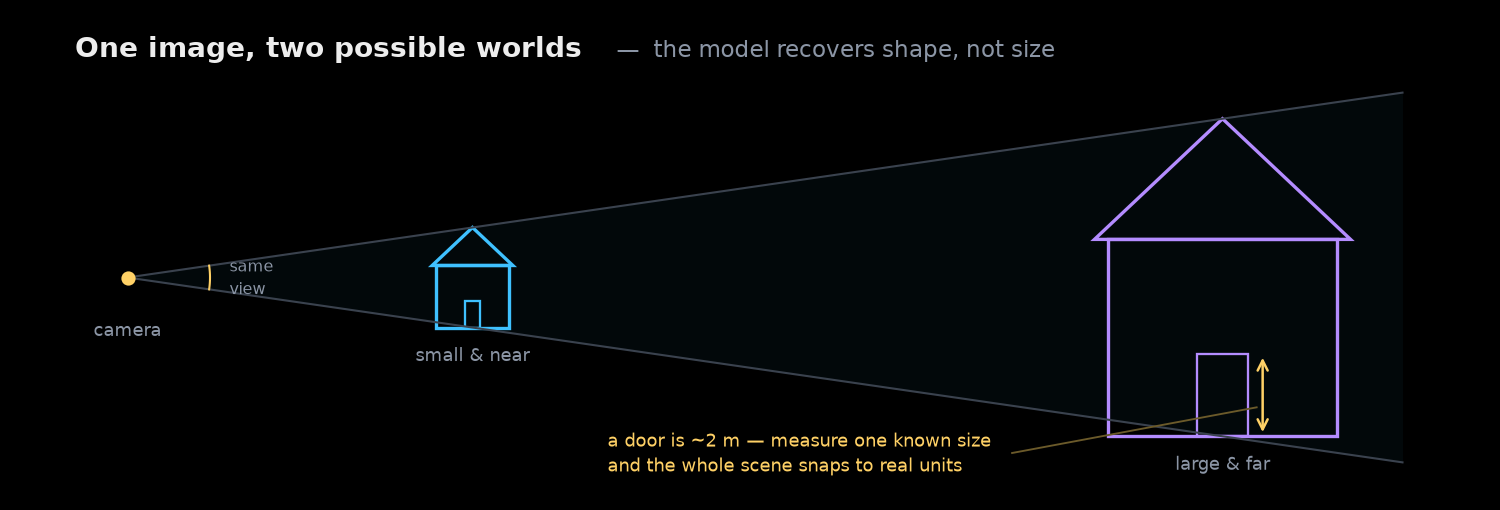
Not every clip has a scene yet, and quality varies — compressed footage, sky and smoke the model can't reconstruct, and unreviewed annotations all show up as noise. The reconstruction also doesn't know its own scale — a small near object and a large far one look identical in pixels — so distances stay in the model's own units until I anchor one known real-world size. That's why there's no measure tool yet, and why this part is still a gradual work in progress.
Why bother building the viewer
I could have left it as a repo. But a dataset you can't see barely gets used, and the whole reason I opened this one up was for it to get used — by anyone trying to understand how the threat behaves, or to build and evaluate the sensors and algorithms that stop it. It's the same instinct behind designing a microphone array to hear these drones: the tools only get you so far without representative data you can actually put your hands on.
So the viewer is live and it tracks the dataset as it grows: itamar-weiss.com/fpv. The underlying collection — clips, labels, manifest — stays open at github.com/itamarwe/fpv-drone-strikes-lebanon-dataset. Browse it, learn from it, and if you have footage that belongs in it, send it my way.